LEARN • PRACTICE • OPERATE

Your amateur radio companion at home and on the air.

Learn CW by ear, prepare for satellite passes, take POTA into the field, and keep practical radio tools close at hand—on iPhone, iPad, and Mac.

Get it on the App StoreAvailable now for iPhone, iPad, and Mac
One purchaseNo adsNo subscriptions
Ham Companion Pro app icon showing a radio operator at a Morse key

BUILT FOR THE WHOLE SHACK

One thoughtful toolkit. Every Apple screen.

More than a Morse trainer: Ham Companion Pro brings learning, preparation, field operation, calculations, references, and satellite passes into one calm, focused app.

01 / CW

Learn Morse by ear—not by anxiety.

Guided lessons, friendly hints, adjustable Farnsworth timing, and answers by tap, voice, or keyboard help true beginners build lasting sound recognition. Use your paddle or straight key to practice on your device.

02 / SATELLITES

Know what’s overhead—and where to point.

Upcoming amateur satellite passes, live look angles, rise and set times, radio configurations, and station-aware predictions in one practical view.

03 / SHACK

A real library, not just a calculator.

In-depth operating guides—repeaters, simplex, satellites, APRS, digital voice, mesh networking, fox hunting, and more—alongside the everyday tools your bench deserves: a POTA Activation Assistant, grid square and QTH lookup, antenna dimensions, SWR, UTC clocks, space weather, and phonetics.

EXPLORE THE COMPANION

From your first dit to your next activation.

Ham Companion Pro is designed to stay useful as your interests grow. Begin with guided CW lessons, then carry the same app to the shack, the backyard, or the field.

01 / LEARN & PRACTICE CW

Train your ear. Practice the way you operate.

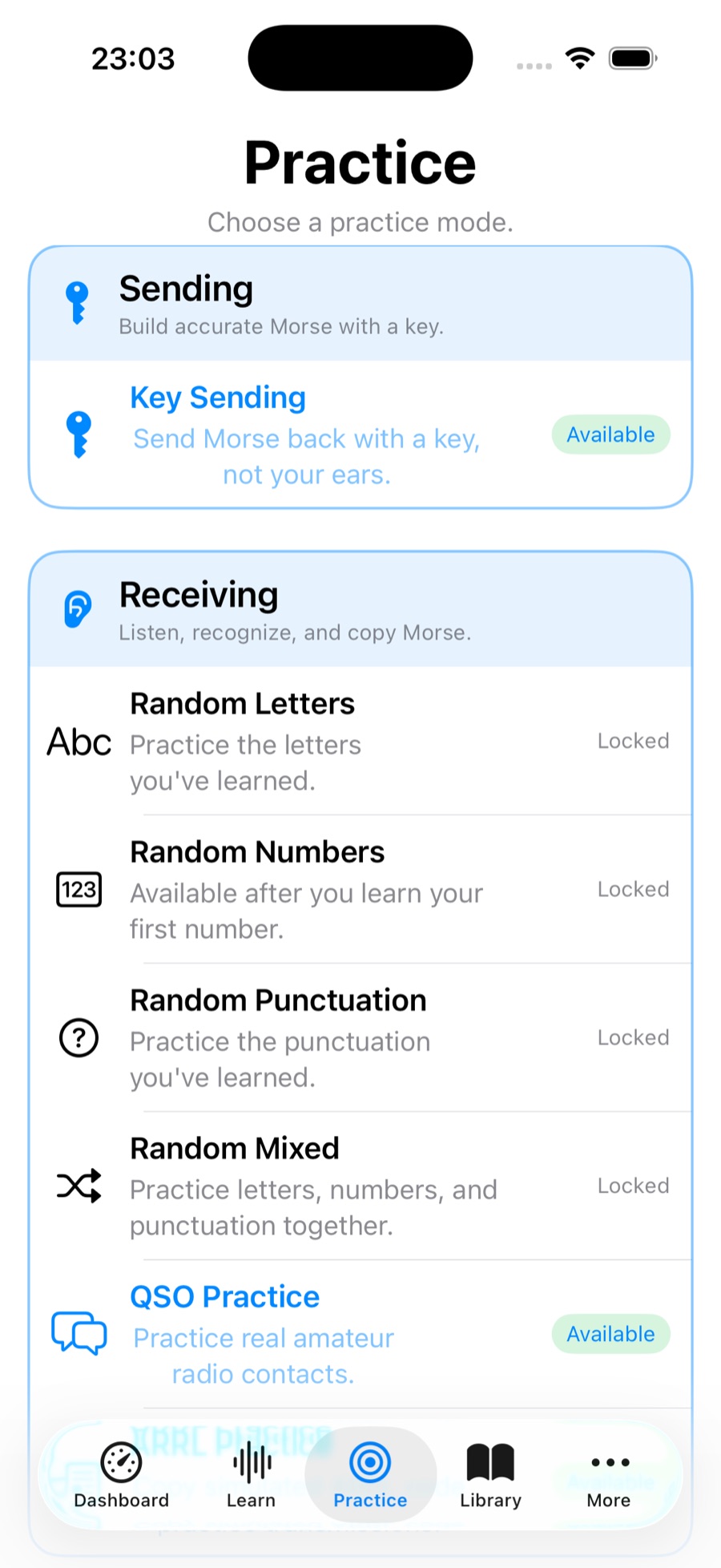
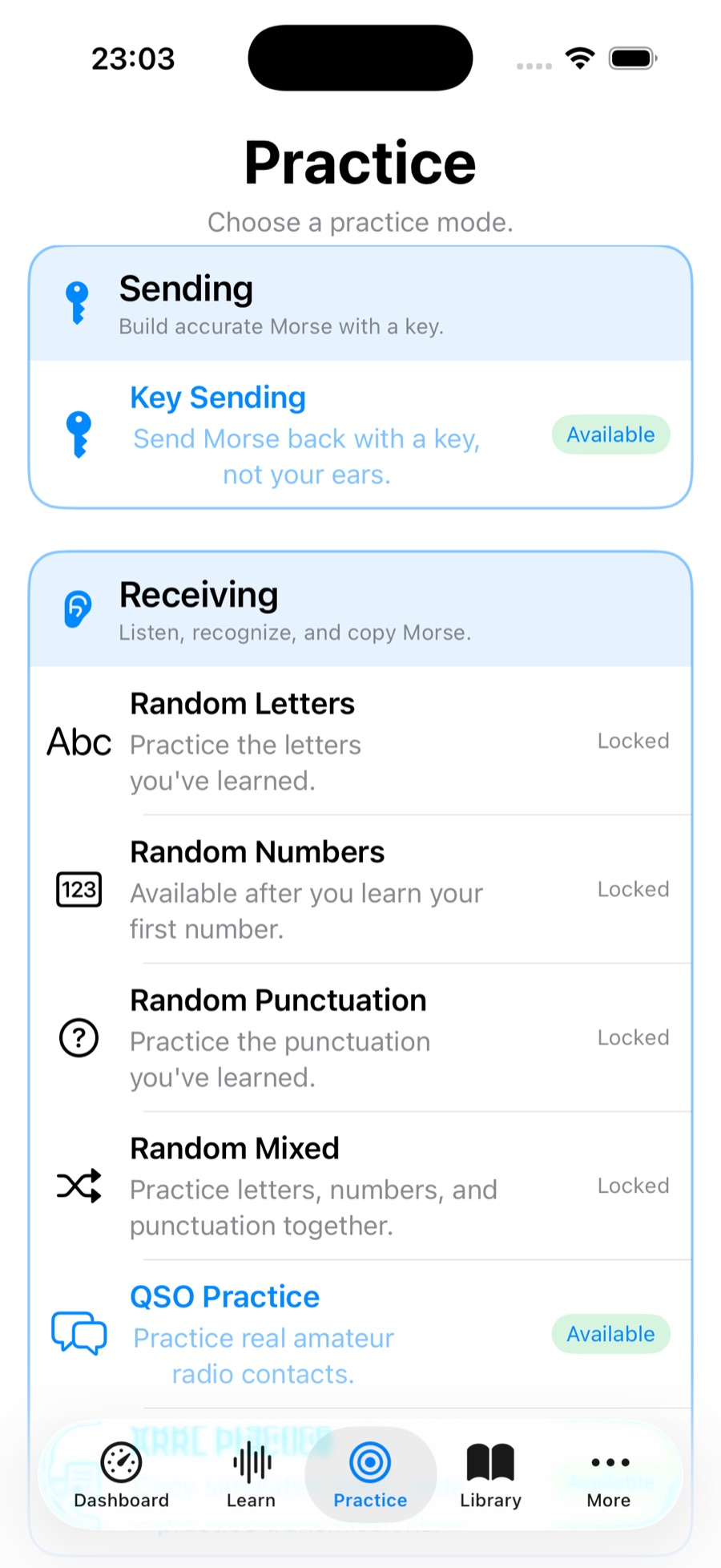
A structured Koch-method path introduces characters gradually, while Farnsworth timing keeps every character sounding natural. Practice letters, numbers, punctuation, words, Q signals, prosigns, realistic QSOs, and ARRL-style material.

  • Answer by touch, voice, or hardware keyboard
  • Send with a compatible straight key or paddle
  • Adjust speed, spacing, tone, and session content
Ham Companion Pro practice menu with sending, receiving, and QSO modes

02 / AMATEUR SATELLITES

Know when to listen—and where to point.

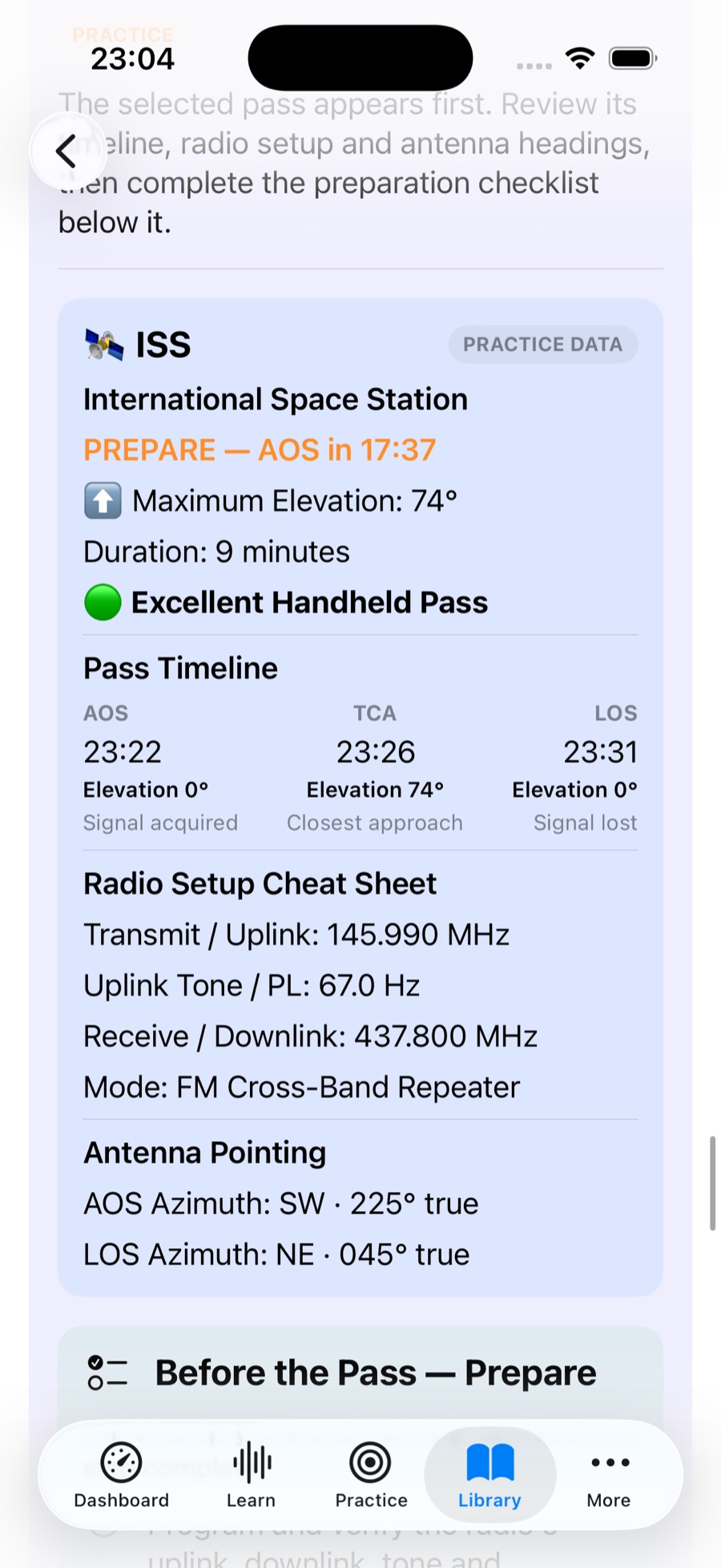
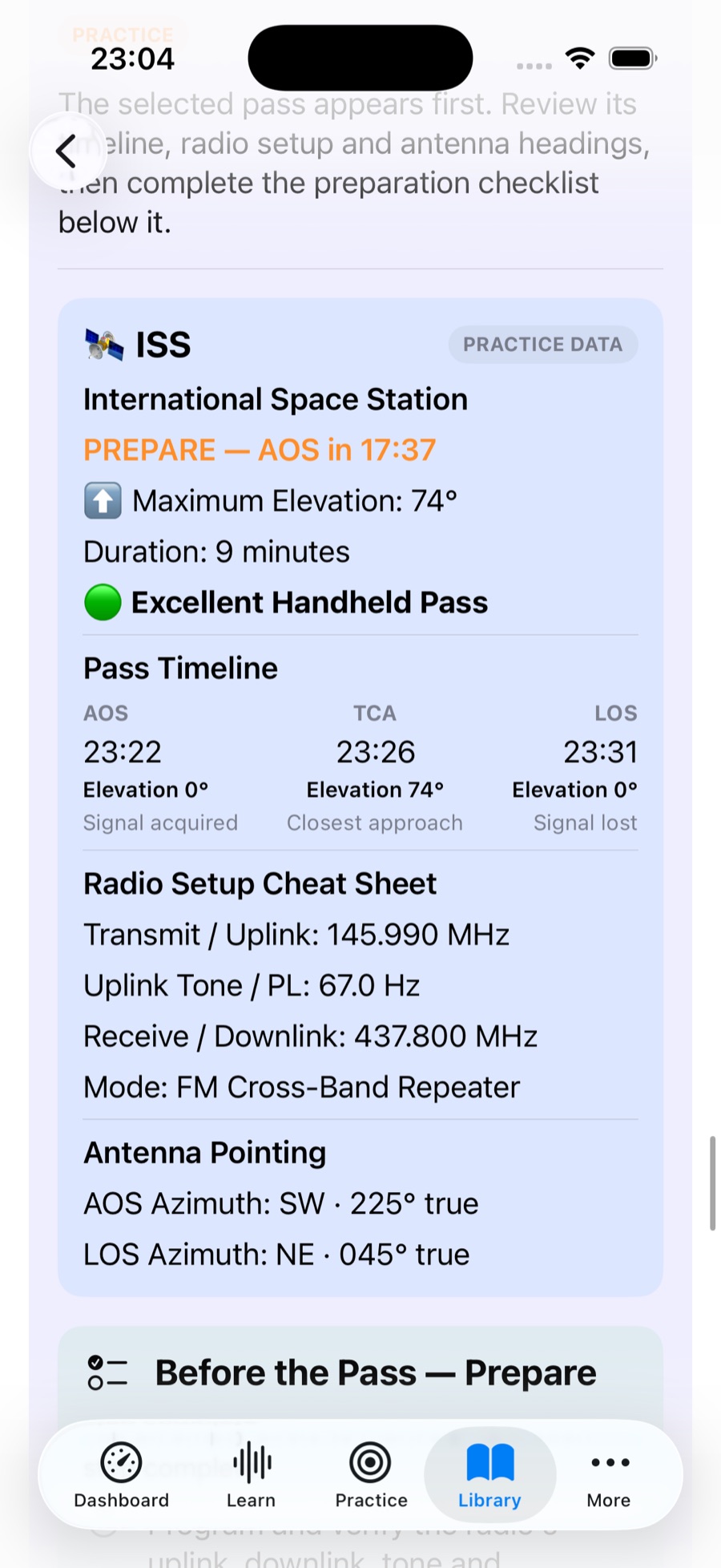
Review upcoming amateur-radio satellite and ISS passes from your location. See rise, closest-approach, and set times alongside elevation, direction, operating information, and a practical preparation checklist.

  • Pass quality and countdown at a glance
  • Uplink, downlink, tone, and mode guidance
  • Azimuth headings for antenna pointing
International Space Station pass details and radio setup in Ham Companion Pro

03 / POTA IN THE FIELD

Carry a clean activation assistant in your pocket.

Look up a park, record contacts, track progress toward a successful activation, and export a clean ADIF log when you are finished. Open the official spotting service without handing the app your POTA password.

  • Park reference and name lookup
  • Fast, field-friendly contact entry
  • ADIF export for your permanent log
POTA ACTIVATIONK-4556

Chino Hills State Park

7contacts logged
W6ABC14.074FT8K7XYZ14.250SSBN0CALL7.030CW
Export ADIF log →

04 / EVERYDAY RADIO TOOLS

A workbench that fits beside the radio.

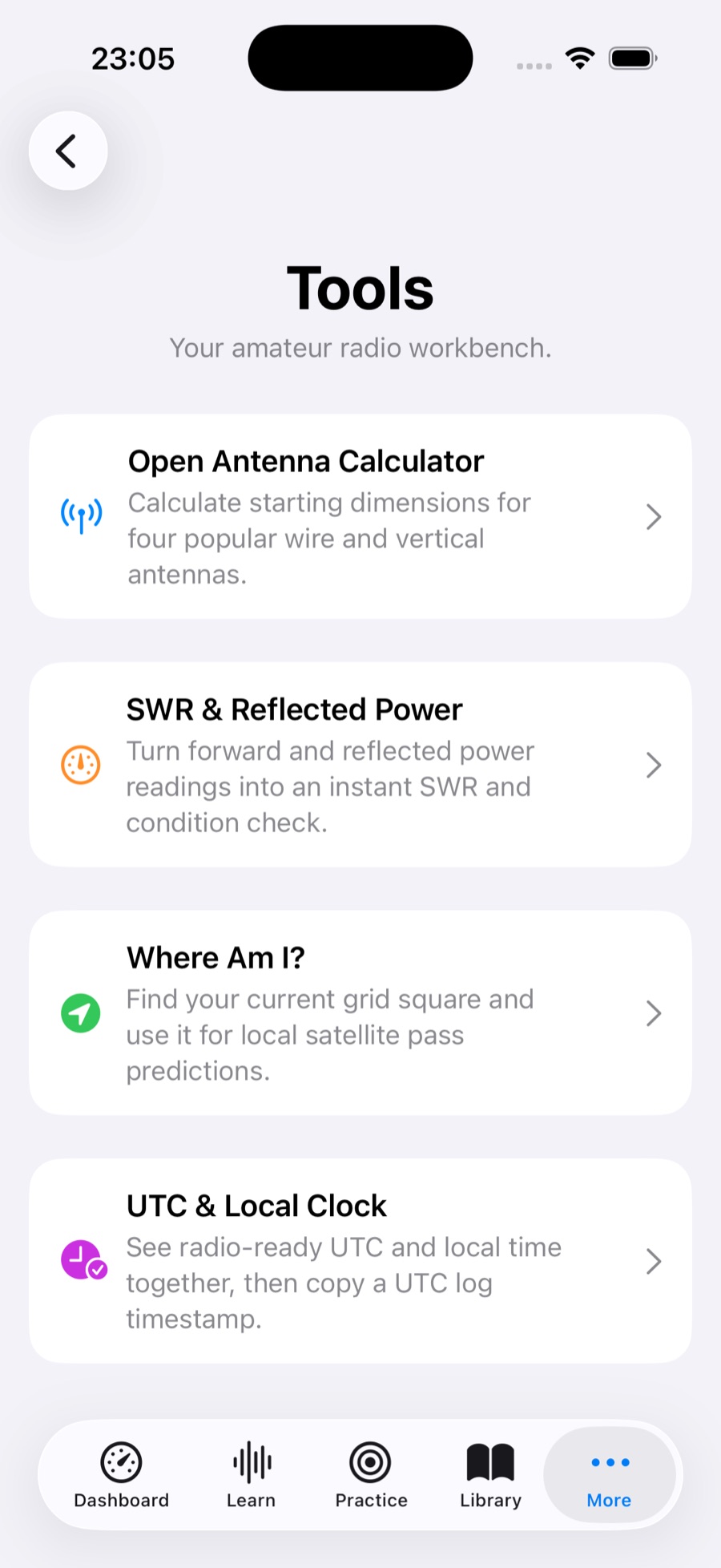
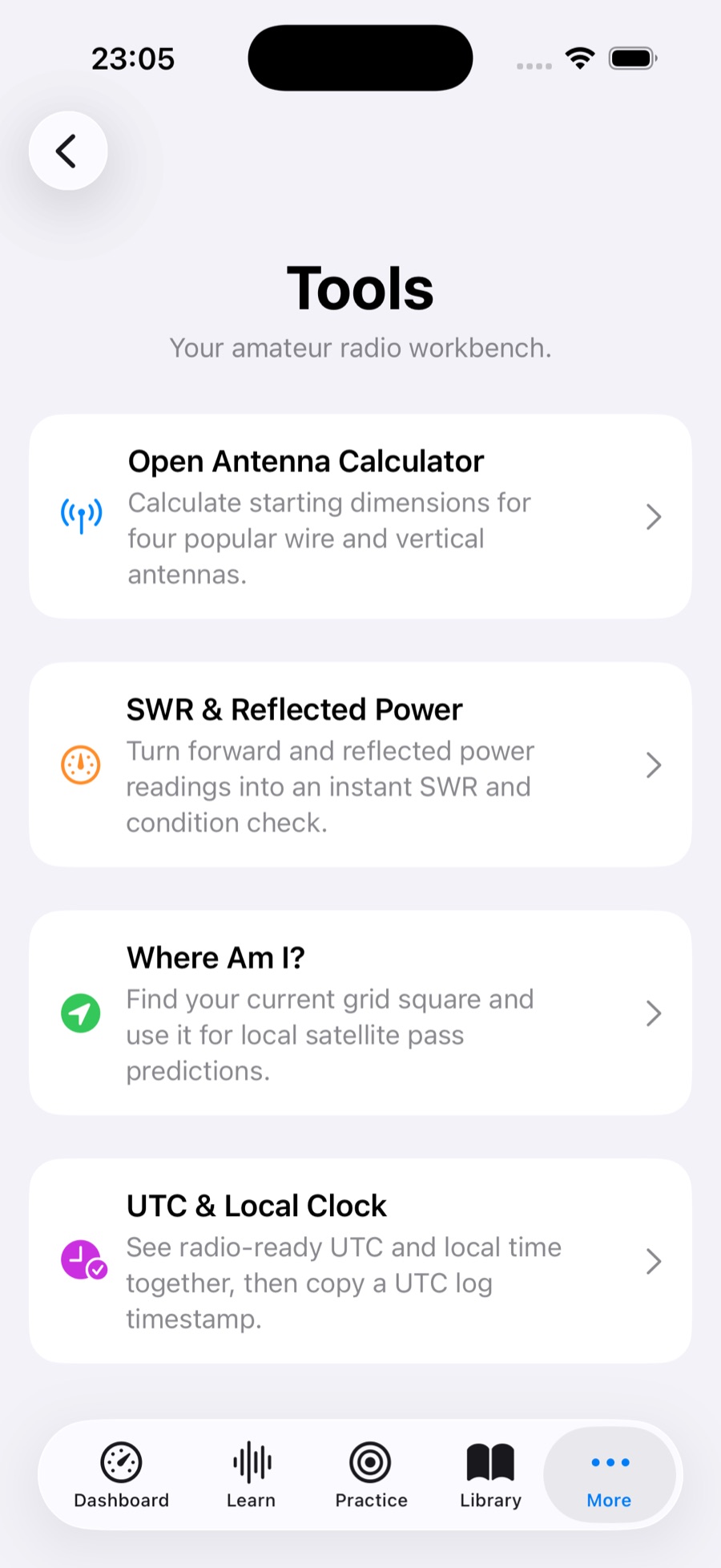
Reach the calculations and references you need without hunting across multiple apps. Start antenna dimensions, check SWR and reflected power, find your Maidenhead grid square, and keep UTC beside local time.

  • Wire and vertical antenna starting dimensions
  • SWR and reflected-power condition checks
  • Grid-square, QTH, UTC, and phonetic references
Antenna, SWR, grid square, and UTC tools in Ham Companion Pro

05 / OPERATING LIBRARY

Understand the how—and the why.

An approachable field library turns unfamiliar subjects into practical operating knowledge. Explore HF, VHF, and UHF operation, equipment, antennas, satellites, POTA, emergency communication, signal reports, Q signals, phonetics, and common radio myths.

  • Written for new and returning operators
  • Useful explanations without unnecessary jargon
  • A patient Elmer that is ready whenever you are
01Getting on HF
02VHF & UHF operation
03Antennas & equipment
04Satellites & the ISS
05Parks on the Air
06Practical operating

YOUR STATION, YOUR DEVICES

Start on iPhone. Continue on iPad. Settle in on Mac.

Your operator profile and Morse-learning progress travel through your own iCloud account, so the device in front of you always feels like your station.

  • Available now for iPhone, iPad, and Mac
  • Private iCloud synchronization
  • Keyboard, touch, microphone, straight key, and paddle input

Satellite pass details in Ham Companion Pro
CW practice modes in Ham Companion Pro
Radio tools in Ham Companion Pro

THE SIMPLE PROMISE

One price.Buy once for supported Apple devices.
No advertising.Your learning space stays yours.
No upgrade maze.The whole toolkit is the product.

NOW ON THE APP STORE

Make every minute at the radio count.